
Using Stripchat on your phone

Stripchat runs in the browser already on your phone — nothing to install before you open a room. Below: Android and iOS access, home-screen pinning, and why no official app exists. 18+ only.
From locked screen to live room in four taps
Browser, room, chat, home-screen pin — that is the whole routine, and it works identically on Android and iPhone.




Every model, tailored to the small screen

Nothing is cut: rooms, chat, tip menus, privates, settings. Streams adapt to your connection; chat docks beside the video.
Your show, your way




Pin it to the home screen
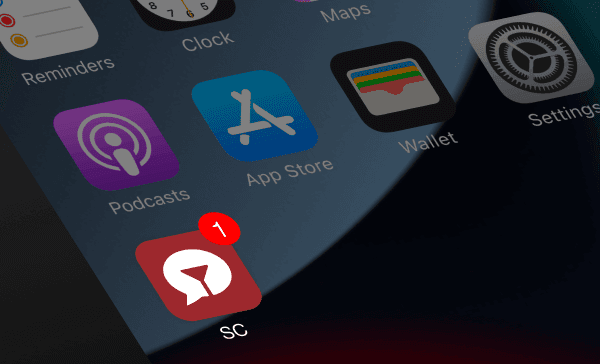
- Android (Chrome): menu → Add to Home screen → Install. Opens standalone, fullscreen.
- iPhone (Safari): Share → Add to Home Screen → Add. Keeps you logged in like an app.
No official app exists. There is no Stripchat listing in the Play Store or the App Store. Any app using the name is unofficial — do not install it or hand it your credentials.
Mobile questions, answered
Does Stripchat work on iPhone and Android?
Yes. Both run the full site in their stock browsers: Safari on iPhone, Chrome on Android. No install needed for anything.
How do I add Stripchat to my home screen?
On iPhone use Safari's Share menu, then Add to Home Screen. On Android use Chrome's menu, then Add to Home screen or Install. It then opens standalone like an app.
Is there an official Stripchat app?
No. There is no official app in the Play Store or the App Store, so any listing claiming the name is fake and unsafe to install.
How do I save mobile data while watching?
Drop the stream quality a notch on cellular, prefer Wi-Fi for long sessions, and close background tabs so the stream gets the bandwidth.
We may earn a commission when you sign up — Affiliate Disclosure.